
PlayinMatch Aviator — the Official Spribe Crash Table, Cash Out Mid-Flight
PlayinMatch Aviator is the Spribe crash game on the PlayinMatch casino side. You set a stake before take-off, a multiplier climbs while the plane rises, and you press Cash Out whenever you like. Hold on too long and the plane flies away with that stake. Log in, open Aviator, pick an amount, play.
That is the whole game, honestly. Everything below is about where the tile sits on PlayinMatch, what the flight screen shows, how the two bet boxes behave, and why the predictor apps sold on Telegram are not worth a single rupee.

Where PlayinMatch Aviator Sits in the Official Casino Lobby
On PlayinMatch, Aviator is not hidden behind a separate app or a second login. It lives with the crash and instant games (Mines and the Plinko-style titles sit next to it), which are part of the casino side of the lobby rather than the Exch or Sports tabs. The side menu lists Exchange - InPlay, Sportsbook - InPlay, MultiMarket, Live-Casino and Slots; Aviator is reached through the casino end of that list.
Phone players: three taps. Menu, casino section, plane icon. Desktop players can skip even that, because the lobby column to the left of this text has an Aviator row of its own.
Tile rows get reshuffled now and then, usually when a new promotion takes the top slot. If the plane is not where you left it, the crash/action theme inside Slots is the other place to check. It will be in one of the two.
The game itself comes from Spribe, the studio that made Aviator in the first place. PlayinMatch hosts it inside the lobby, which is why the same balance works here and on the PlayinMatch casino tables without any transfer between wallets.
- Get a PlayinMatch ID over chat (a few minutes), or sign up with name, email, a +91 mobile number and a password, then confirm the OTP.
- Log in with username or email and password. Google and Facebook sign-in work too.
- Add funds from the Account tab. UPI is the quickest of the four options; VISA, Skrill and Net Banking also work.
- Open the casino side of the menu and tap Aviator.
- Type a stake while the next round is loading, press Bet, and decide when to cash out.
Five steps. Four, really, if the desk has already sent you an ID over chat, since sign-up and OTP are then done for you. The first one is the only slow part either way, and even that is quick when the desk is answering.
A note on money before your first flight. Deposits made through UPI usually land before the next boarding bar has finished, so there is no need to top up hours ahead. If PlayinMatch has put bonus money in your account, look at the Account settings: there is a "Receive all bonuses?" switch and a Casino Bonus option to remove a wager bonus. Bonus funds come with their own conditions, and a bonus withdrawal takes longer than a normal one because identity is checked first. The September Bet Battle (7000+ free bets, 1-30 September 2026) is running as this is written; read its terms on the promo slide before assuming it covers casino rounds.
How a Live PlayinMatch Aviator Round Plays Out — Clear Flight by Flight
Every PlayinMatch Aviator round has three short phases, and the screen tells you which one you are in.
Set an amount and tap Bet; the button flips to Cancel. You can still pull the stake back at this point, right up to the moment the wheels leave the runway.
Watch the button, not the plane. Once airborne it reads Cash Out plus a live rupee figure, and that figure ticks up with every hundredth on the counter.
Fly-away. At a point nobody sees in advance the plane leaves the screen. Anyone who cashed out before that moment is paid at the multiplier they tapped. Anyone still holding loses the stake for that round. Then boarding starts again.
The part people underestimate is how fast the climb feels. Some flights end before the counter clears 1.20x; others drift past 10x while the chat window on the side fills up with shouts. There is no pattern to read in that history strip at the top of the PlayinMatch Aviator screen, even though it looks like there should be. I have watched players stare at twenty past results as if they were a scoreboard. They are not. Each flight is fresh.
- Multiplier line while the plane climbs
- Your cash-out tap locks the value
- Fly-away ends the round for everyone still in
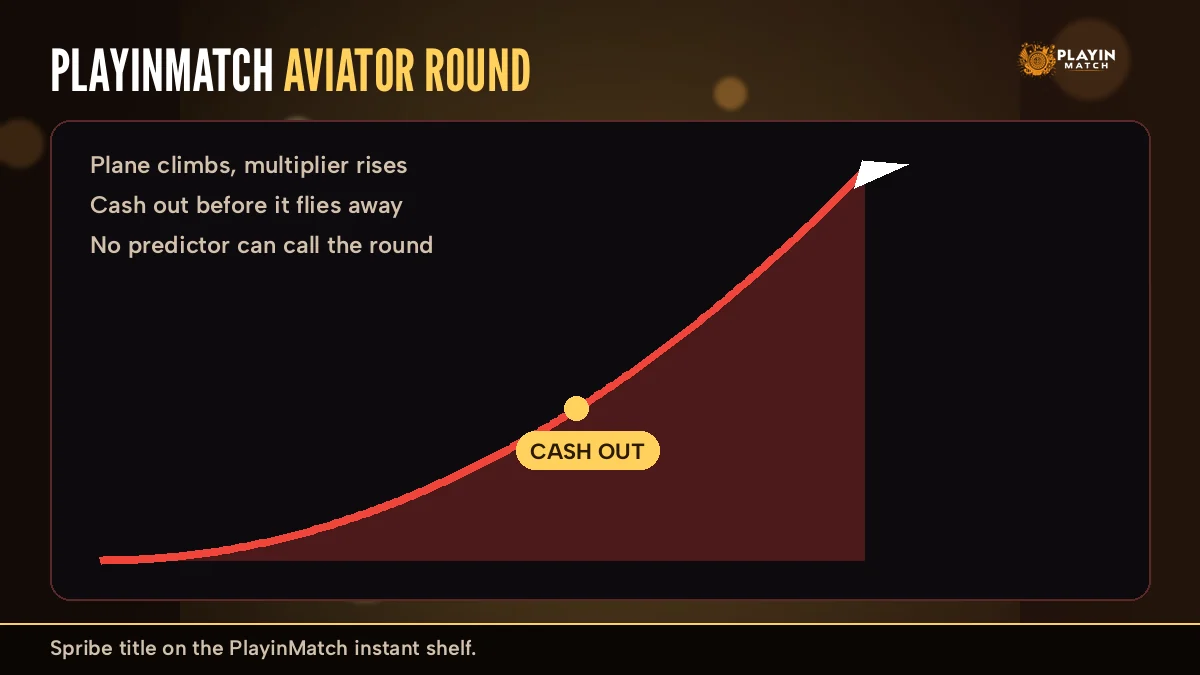
Read the curve above as one flight, not as a promise. The shape is always the same slow start and steep finish; where the dashed fly-away line lands changes every round. The green dot is the only thing you control on PlayinMatch Aviator. Early taps pay small and often, late taps pay big and rarely. Most regulars settle somewhere in between and stop fiddling with it.
Two Stakes and Auto Cash-Out on PlayinMatch Aviator — Quick Controls Explained
Under the flight screen PlayinMatch Aviator shows two bet boxes side by side. That is a Spribe design: Aviator lets you place two stakes on the same plane, each with its own amount and its own Cash Out button. You can run one, both, or switch the second off with the small minus at its corner.
- Bet box 1 amount, plus and minus own Cash Out
- Bet box 2 separate amount own Cash Out
- Auto tab Auto Bet and Auto Cash Out set per box
- Balance top of the game screen same as Exch
Why would anyone bother with two? The usual split looks like this: box one is set to cash out automatically at a low multiplier, box two is left manual for a longer ride. It feels safer, and in practice it just spreads the same stake over two exits. Nothing about the round changes.
Worked through with plain numbers: box one holds 500 with Auto Cash Out at 1.50, box two holds another 500 on manual. If the plane leaves at 1.30, both boxes lose. If it reaches 1.50, box one pays back 750 on its own, and box two is worth whatever the counter shows at the moment you tap. Miss that tap and box two is gone, but box one has already been paid. That is all the split does on PlayinMatch Aviator, nothing more clever.
Auto Cash Out is the one control worth learning early. Switch to the Auto tab of a box, turn on Auto Cash Out and type a multiplier, for example 1.50. The game then cashes that box for you the instant the counter reaches it, even if your connection hiccups on a crowded IPL evening.
A small warning that comes from watching the PlayinMatch desk chat: Auto Bet keeps placing the same stake every round untill you turn it off. People switch it on, go to check a cricket score on the Exch tab, and come back ten rounds later wondering where their balance went. Set a round count if the game offers one, or simply stay on the screen while it runs.
Stake size is yours. The PlayinMatch Quick Stakes strip you might know from the Exch slip (1000, 2000, 3000, 5000, 10000, 20000, 30000, 50000) does not appear here; Aviator uses its own box with a plus, a minus and a few preset chips of its own.
PlayinMatch Aviator Predictor and Hack Apps — The Real, Honest Answer
Short version: no PlayinMatch Aviator predictor works, and no hack exists. Search for either and you will find APK files, Telegram channels with "signals", and YouTube clips showing a phone that seems to guess the next multiplier. They share one business model. You pay, or you hand over your login, and they keep it.
The claim. A predictor reads the game server and shows the fly-away point before take-off. A hack APK lets you set the result, or doubles your cash-out.
The fact. The flight is settled by the game on its own servers, not on your phone. PlayinMatch shows you the round, it does not hand the result to any app you install.
The Telegram sellers are a slightly different flavour. They post a screenshot of a win, ask for a "VIP" fee, and then send numbers like "cash out at 2.3x" a few seconds before the round. Some of those calls land, because low multipliers come up often. That is all it is. When a call misses, the group blames timing or asks for a bigger plan.
There is a sharper risk than losing a fee. A so-called hack app that asks for your PlayinMatch username and password is asking for your account. Once someone else has it, the balance can be moved and the account may be frozen while the desk sorts out who is who. Nobody from PlayinMatch will ever ask you to install a predictor, and none of the official channels sell one.
Already installed one? Do three things, in this order. Open the PlayinMatch login screen, tap Forgot Password, press Send OTP, and set a new password with the code that reaches your registered mobile. Delete the app. Then message the desk on live chat with your username so they can look at recent activity on the account. If the balance moved, share the time it happened; the desk works 24x7, so there is no reason to wait until morning.
What actually shapes your PlayinMatch Aviator results is dull: the size of each stake, the multiplier you tell Auto Cash Out to take, and how many rounds you play before you stop. That is the complete list.
PlayinMatch Aviator on Mobile — Fast Access From the App and Browser
Most PlayinMatch Aviator rounds are played on phones, and the game is built for portrait: flight screen on top, the two bet boxes underneath, the history strip in a thin row above the plane. On the mobile site, log in, tap the menu, open the casino part and the tile is there. The bottom dock (Exch, Sports, Home, In-Play, Account) stays in place, so you can jump to a live cricket market between flights and come straight back.
If you prefer an icon on your home screen, the PlayinMatch app download page covers the install route, and the Aviator tile inside the app is the same one you see in the browser. Same account. Same balance. Nothing to re-register.
Two practical notes. Signal matters more in Aviator then in a slower table game, because a delayed tap on Cash Out is a delayed tap; this is the main reason Auto Cash Out exists. And if the PlayinMatch address itself stops opening one day, that is usually a block on the domain, not a problem with your account. Betting domains get blocked in India from time to time, and the same login works on the next working address. The PlayinMatch mobile login page keeps the current route.
Round went wrong? It happens occasionally: the screen froze during a climb, or a stake left the balance but no bet showed in the box. Tap the chat bubble at the bottom right of the PlayinMatch screen and give the desk three things — the time of the round, the stake amount, and your registered number. With those three details the desk can trace the round on your account instead of guessing. Don't place the same stake again to "test" it while you wait.
(The chat bubble is easy to miss on a small screen, by the way. Bottom-right corner, close to the dock.)
PlayinMatch Mines and Other Fast Crash Games Near Aviator — Top Picks
Aviator is the headline act, but the PlayinMatch crash and instant shelf has neighbours worth knowing. Mines is the the closest cousin: a grid of tiles hides a few mines, every safe tile raises the multiplier, and you cash out whenever you choose to stop picking. It is Aviator's cash-out decision, just without the plane.
Plinko-style games drop a ball through pegs into prize slots at the bottom. No cash-out button there; the drop decides. Quicker, and less to think about.

Each family on PlayinMatch runs to more than fifty titles, so the shelf changes as studios add games. The Slots floor has its own crash/action theme as well, which is where a few Aviator-type reels end up. For the full list with where each title sits, the PlayinMatch game list is the quicker place to browse, and PlayinMatch com slots covers the reel side.
Aviator on PlayinMatch. No dealer, no table limit screen, rounds back to back. You pick the exit. A session can be five minutes between two overs of a T20.
Live-Casino on PlayinMatch. A dealer runs Teen Patti, Andar Bahar or Lightning Roulette at a set pace, and the betting window closes on their timing, not yours. Slower, more social, and nothing to cash out mid-hand.
One thing the crash games share with the rest of the lobby is the wallet. A win in Aviator can be withdrawn the same way as a cricket win: request it from Account, and the official FAQ puts the usual wait at 2-3 hours depending on the method (bonus money takes longer, since identity is checked first). The PlayinMatch withdrawal time page has the detail.
PlayinMatch Aviator Search Terms — Clear Answers for Every Popular Query
PlayinMatch Aviator is one tile inside a bigger account, and the searches around it show that. People type playinmatch, playinmatch99, playinmatch 99 or simply playin match when they want the front door; playinmatch online and playinmatch online live sports lead to the same login, where the playinmatch exchange board, the playinmatch casino and the playinmatch game list share one balance. If you are new, join playinmatch through the ID desk and the Aviator seat opens with everything else.
- Phone players look for the playinmatch app, a playinmatch app download, a playinmatch install or a plain playinmatch download, and some want the playinmatch apk or the playinmatch apk latest version before a big match.
- Browser players use playinmatch com mobile and playinmatch com mobile login, and the playinmatch live app keeps in-play markets one tap from Aviator.
- Reel fans check playinmatch com slots, and the address playinmatch99 com is the official home the lobby runs from.
PlayinMatch Aviator Account Questions — Fast, Reliable Help
Money questions come next: playinmatch withdrawal time (usually 2-3 hours), a playinmatch withdrawal problem, or a playinmatch account blocked message after a payout. Players who want a person type playinmatch customer care number india 24/7, and the desk answers on chat round the clock.
Cricket fans still check the playinmatch live score today between flights, and anyone weighing it all up asks is playinmatch safe before the first deposit. Every one of those routes ends in the same place as this page: log in, open the casino side, and play PlayinMatch Aviator with a stake you picked.
PlayinMatch Aviator FAQ — Quick, Verified Answers
How do I play Aviator on PlayinMatch?
Start with a funded PlayinMatch ID: the desk issues one over chat, and UPI top-ups arrive quickly. In the side menu, go past the two InPlay rows to the casino section and choose Aviator. Enter an amount, press Bet during the loading bar, and press Cash Out while the multiplier is still rising.
Does the PlayinMatch Aviator predictor work?
It does not. A PlayinMatch Aviator predictor is sold as software that knows the fly-away point, yet that point is produced on the game server while the flight runs. Signal groups post a number, a few land by luck, and the fee or login you handed over is what they were after.
Is there a PlayinMatch Aviator hack?
There is no working PlayinMatch Aviator hack. A hack APK cannot change a round that is settled away from your phone, and installing one puts your PlayinMatch login and balance at risk. The only control a player really has is the stake size and the moment of pressing Cash Out.
Can I play PlayinMatch Aviator on mobile?
Yes, and most players use it that way. On a phone the PlayinMatch Aviator screen stacks the flight on top and both bet boxes below it, whether you use the browser or the app. The tile sits under the casino rows of the menu, and winnings land in the same wallet as your Exch bets.
What is the minimum bet in PlayinMatch Aviator?
The minimum bet in PlayinMatch Aviator is shown inside the game bet box, and the minus button stops at it. Check it on your own screen before the round starts. The Quick Stakes presets from 1000 to 50000 belong to the Exch bet slip, not to Aviator.
PlayinMatch Aviator Searches — Popular Related Queries
- playinmatch aviator
- playinmatch aviator predictor
- playinmatch aviator hack
- playinmatch aviator withdrawal
- playinmatch aviator predictor telegram
- playinmatch aviator hack apk
- playinmatch aviator kaise khele
- playinmatch aviator app
- playinmatch aviator game
- playinmatch aviator login
- playinmatch mines
- playinmatch crash game